AI contract analysis comparison - 6 min read

Best AI contract analysis tools for private contract review

The right tool depends on the job: Word-native drafting, enterprise contract workflow, general legal brainstorming, or local risk triage for sensitive agreements.

Most AI contract tools are built on frontier cloud models such as ChatGPT, Claude, or similar hosted model infrastructure behind the scenes. That can be powerful, but it also means teams need to think carefully about where contract text is uploaded, which vendors can process it, and what happens if sensitive deal terms, client data, pricing, security obligations, or regulated information leave the review environment. Contractive's core advantage is simple: it is built for the work that should stay local.

Full transparency: this comparison is published by Contractive. Contractive Core is included because it solves a specific gap in the market: local contract analysis for teams that do not want to upload sensitive agreements into a hosted review tool.

Best for Microsoft Word drafting workflows: Spellbook

Best for enterprise playbooks and legal workflow scale: LegalOn

Best for on-device privacy and local risk triage: Contractive Core

Best for brainstorming and flexible drafting support: General AI chat tools

Quick comparison

The best choice depends less on model capability in the abstract and more on where the contract lives, who needs to review it, and whether the document can leave the team's environment. That last question is where Contractive is deliberately different from cloud-first legal AI tools.

Spellbook

Best for Microsoft Word drafting workflows

Cloud service inside Word

Contract text is processed through a hosted tool, so vendor review and data handling matter.

Drafting, review, and redlining in Microsoft Word

Keeps contract drafting work close to lawyers already living in Word.

Good fit when Word-native workflow matters more than local-only processing.

LegalOn

Best for enterprise playbooks and legal workflow scale

Cloud platform

Enterprise controls may be strong, but the review workflow still depends on cloud processing.

Contract review, redlines, policies, and legal knowledge workflows

Strong category fit for organizations that want a broader contracting platform.

Best evaluated against enterprise security, workflow, and implementation needs.

Contractive Core

Best for on-device privacy and local risk triage

Local Windows desktop app

Contract files stay in the local review environment instead of being uploaded for analysis.

Perspective-aware clause review with multi-dimensional risk scoring

Reviews sensitive agreements without uploading contract files to a hosted review tool.

Built for first-pass triage and human review, not autonomous legal decisions.

General AI chat tools

Best for brainstorming and flexible drafting support

Cloud service

Security depends on the plan, workspace controls, data settings, and internal upload policy.

Conversational drafting, summarization, and question answering

Useful for exploring language, summarizing concepts, and drafting alternatives.

Use the right business plan and review data controls before uploading sensitive contracts.

Best for Microsoft Word drafting workflows

Best for Word-based drafting: Spellbook

This is best for legal teams that draft, redline, and review contracts primarily inside Microsoft Word.

Spellbook is the clearest fit when the workflow starts and ends in Word. If your team wants AI assistance while drafting clauses, reviewing language, and preparing redlines without changing the document environment, this category makes sense.

Security lens: Contract text is processed through a hosted tool, so vendor review and data handling matter.

Watch for: Good fit when Word-native workflow matters more than local-only processing.

View source

Best for enterprise playbooks and legal workflow scale

Best for enterprise legal workflows: LegalOn

This is best for organizations that want AI contract review connected to playbooks, redlines, policies, and broader legal operations.

LegalOn is a stronger fit when the buyer wants a larger system around contract review: standardized review policies, legal knowledge, and workflow depth. That can be powerful for larger legal departments, though it is a different buying motion than a lightweight local review tool.

Security lens: Enterprise controls may be strong, but the review workflow still depends on cloud processing.

Watch for: Best evaluated against enterprise security, workflow, and implementation needs.

View source

Best for on-device privacy and local risk triage

Best for local private review: Contractive Core

This is best for teams that need to review sensitive agreements without uploading contract files to a hosted analysis tool.

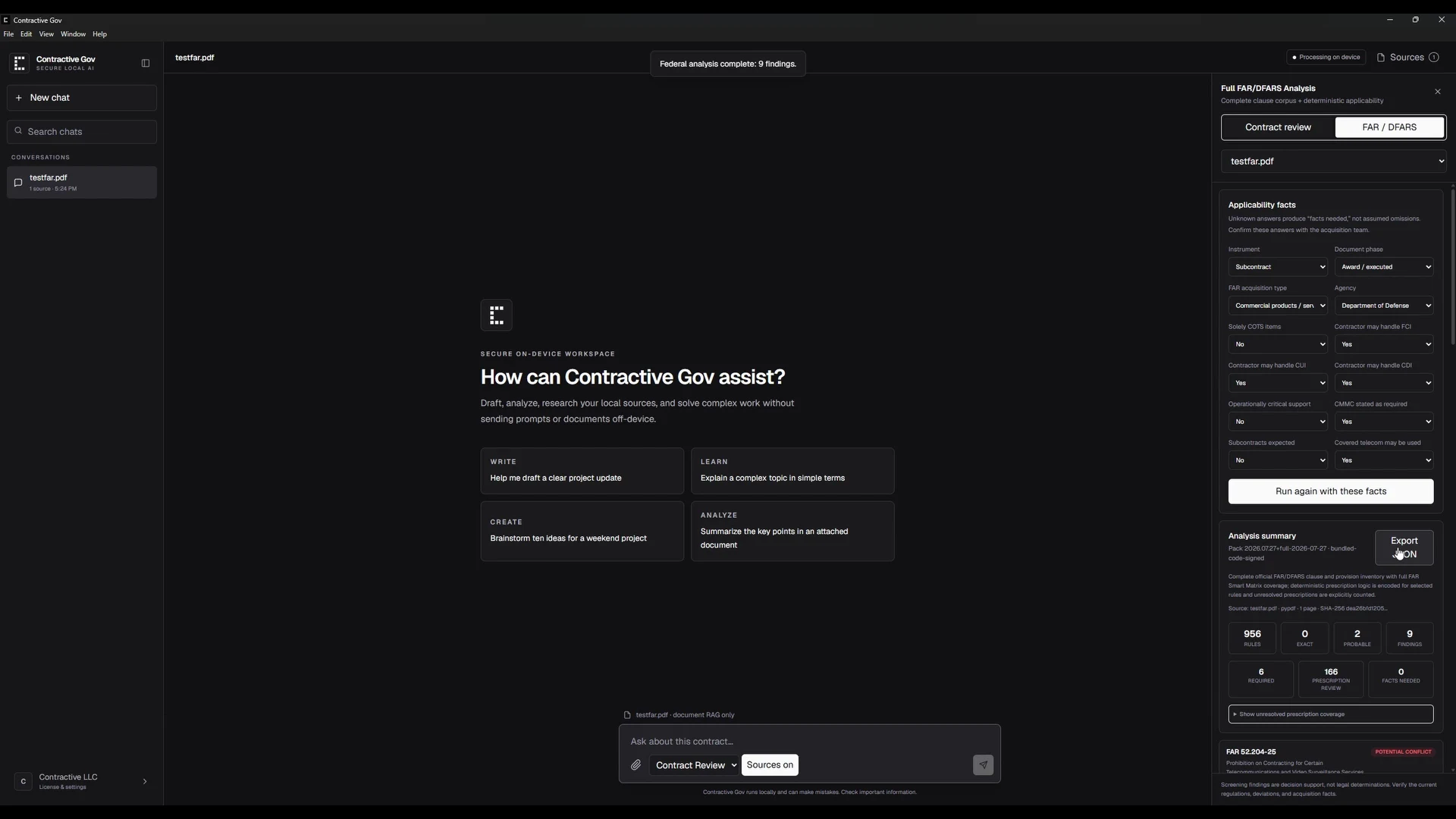
Contractive Core is built around a narrower but important job: local first-pass contract analysis. It extracts clauses, ranks review priority, shows the source text behind each finding, and produces review summaries that stay under the team's control.

Security lens: Contract files stay in the local review environment instead of being uploaded for analysis.

Watch for: Built for first-pass triage and human review, not autonomous legal decisions.

View source

Best for brainstorming and flexible drafting support

Best for flexible brainstorming: General AI chat tools

This is best for exploring contract language, asking general questions, and drafting alternatives before formal legal review.

General AI chat tools are useful when the task is open-ended: explain a clause, brainstorm fallback language, summarize a negotiation position, or compare possible drafting approaches. For sensitive agreements, the important step is checking the plan, data controls, and internal policy before uploading documents.

Security lens: Security depends on the plan, workspace controls, data settings, and internal upload policy.

Watch for: Use the right business plan and review data controls before uploading sensitive contracts.

View source

How to choose

If the team mainly drafts and redlines in Word, start with a Word-native legal AI assistant. If the team needs standardized playbooks, approvals, and a broader contracting system, evaluate enterprise platforms. If the problem is sensitive intake, vendor review, or fast first-pass triage, prioritize local processing, evidence excerpts, and review outputs that stay under the team's control.

The security question buyers should ask

Before choosing an AI contract review tool, ask where the agreement is processed, whether the full text leaves the machine, which subprocessors may touch it, and how review outputs are stored. Cloud platforms can still be appropriate for many teams, especially with enterprise controls. But for highly sensitive vendor agreements, client contracts, pricing terms, data protection language, and regulated materials, local processing removes an entire upload step from the review workflow. That is the security lane Contractive Core is designed to own.

Where Contractive fits

Contractive Core is intentionally narrower than a full CLM platform. It focuses on local contract analysis: extracting clauses, ranking review priority, showing the source language behind each finding, and producing summaries a human reviewer can verify before sharing.

Questions

What is the best AI contract analysis tool for private documents?

For documents that should stay inside a controlled environment, prioritize local or on-premise architecture, evidence-backed findings, and exportable summaries that a reviewer can verify.

Should legal teams use a general AI chatbot for contract review?

General AI tools can help with brainstorming, drafting, and summarizing, but sensitive contract review usually needs stronger workflow controls, source-text evidence, and clear data handling policies.

Why include Contractive in this comparison?

This page is published by Contractive, so Contractive is included transparently. The comparison is organized by use case rather than pretending one product is best for every buyer.